Easier for teachers to spot learning gaps Easier for students to participate
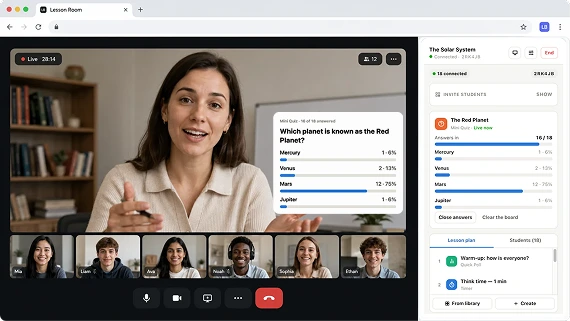
Launch polls, quizzes, and other interactive activities right from your video call. Students join from any device — no app or account needed — and you see class responses in real time.
Works with Google Meet, Zoom (web), Microsoft Teams, and browser-based learning platforms.
For online teachers, tutors, and small education teams.
Interactive demo
Try the LessonBoard live demo
Choose a view, then tap a student’s phone to join the lesson and answer a question. Watch the results appear on the teacher’s screen in real time.
 Ms. Taylor (you)
 Join the lesson
Join code
K7P2Q
Join your lesson
Code K7P2Q
Join your lesson
Code K7P2Q
Online lessons are harder to manage than they should be
During a live online lesson, teachers often need to keep students focused, check understanding, manage time, ask quick questions, and collect feedback.
But most tools are separate from the video call. Teachers have to switch tabs, open different apps, manage links, watch the chat, and keep teaching at the same time. This breaks the lesson flow and makes students less engaged.
Students stay silent or passive
It is hard to check understanding quickly
Teachers switch between too many tools
Timers, polls, and quizzes are not connected to the lesson
Group activities are difficult to manage online
After class, it is hard to review participation and responses
Everything you need to run interactive online lessons
The product gives teachers one simple workflow for interactive live teaching. Use the web dashboard to prepare your activities before class. During the lesson, control everything from the Chrome extension. After class, review student responses and activity history in the dashboard.
Prepare
Build your polls, quizzes, timers and prompts once, then arrange them into lesson plans you can run again and again.
Teach
Launch and control widgets during your live lesson from the Chrome extension.
Review
See responses, quiz results, participation, and lesson activity history after class.
Extension for live control. Dashboard for preparation and review.
Chrome Extension
Your live lesson control center
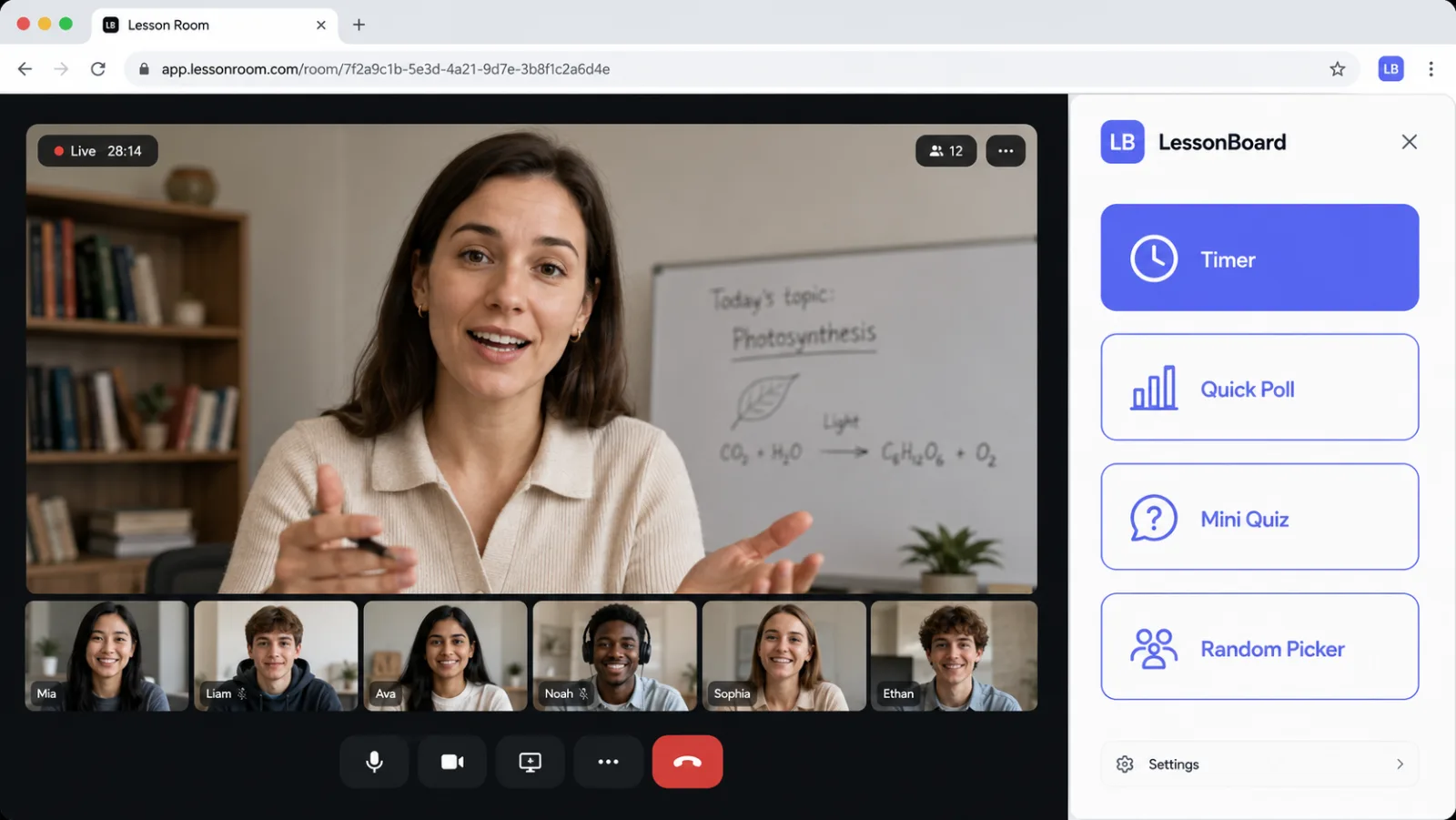
Use the Chrome extension during the lesson to launch widgets, control activities, and show interactive elements to students without leaving the video call.
- Launch timers during the lesson
- Show polls and quizzes
- Pick a random student
- Display activity prompts
- Run understanding checks
- Control what students see
- Manage the lesson without switching between multiple tools
Web Dashboard
Your space to prepare and review lessons
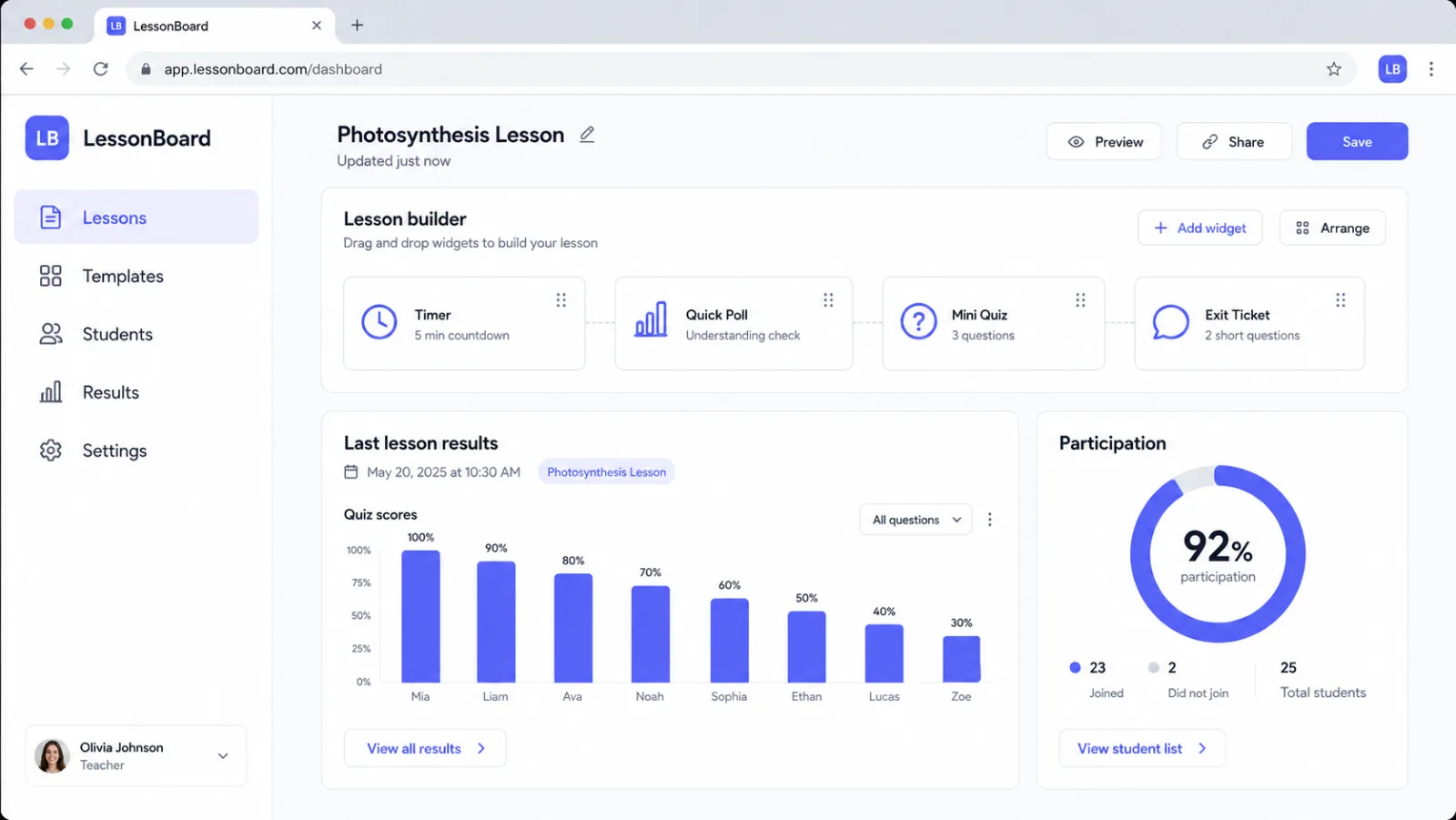
Use the dashboard before class to prepare activities and after class to review student responses and lesson statistics.
- Create polls, quizzes, timers and prompts
- Arrange them into lesson plans you can reuse
- Add a picture to a speaking or writing task
- Search and filter your activity library
- Review quiz results
- See participation and response history
Simple widgets that make lessons more active
Nine of them. Choose the right one for the moment: a timer for practice, a poll to check understanding, a quiz to review learning, or a student picker to keep everyone involved.
Timer
Run countdowns for exercises, speaking practice, tests, breaks, and classroom transitions.
“Give students 2 minutes to solve a task or prepare an answer.”
Quick Poll
Ask students a simple question and show the results during the lesson.
“Ask if the topic is clear before moving to the next step.”
Mini Quiz
Create quick multiple-choice questions to check learning without opening a separate quiz platform.
“Run a short A/B/C/D question after explaining a new concept.”
Understanding Check
Let students quickly show whether they understand the topic, need another example, or feel lost.
“Ask students to choose: Clear, Not sure, or Need help.”
Random Student Picker
Choose the next student fairly and keep everyone involved in group lessons.
“Pick who answers next without calling on the same students every time.”
Scoreboard
Add points for students or teams to make practice more motivating.
“Use team points during vocabulary practice, quizzes, or review games.”
Activity Prompt
Show speaking prompts, writing tasks, instructions, or discussion questions during the lesson.
“Display a speaking question while students prepare their answers.”
Exit Ticket
End the lesson with a quick feedback question and review the answers later.
“Ask what was easy, what was difficult, and what needs more practice.”
Open Question
Collect a short written answer from everyone at once, instead of hearing from one student.
“Ask everyone to write one sentence using the new word.”
Students can respond from any device
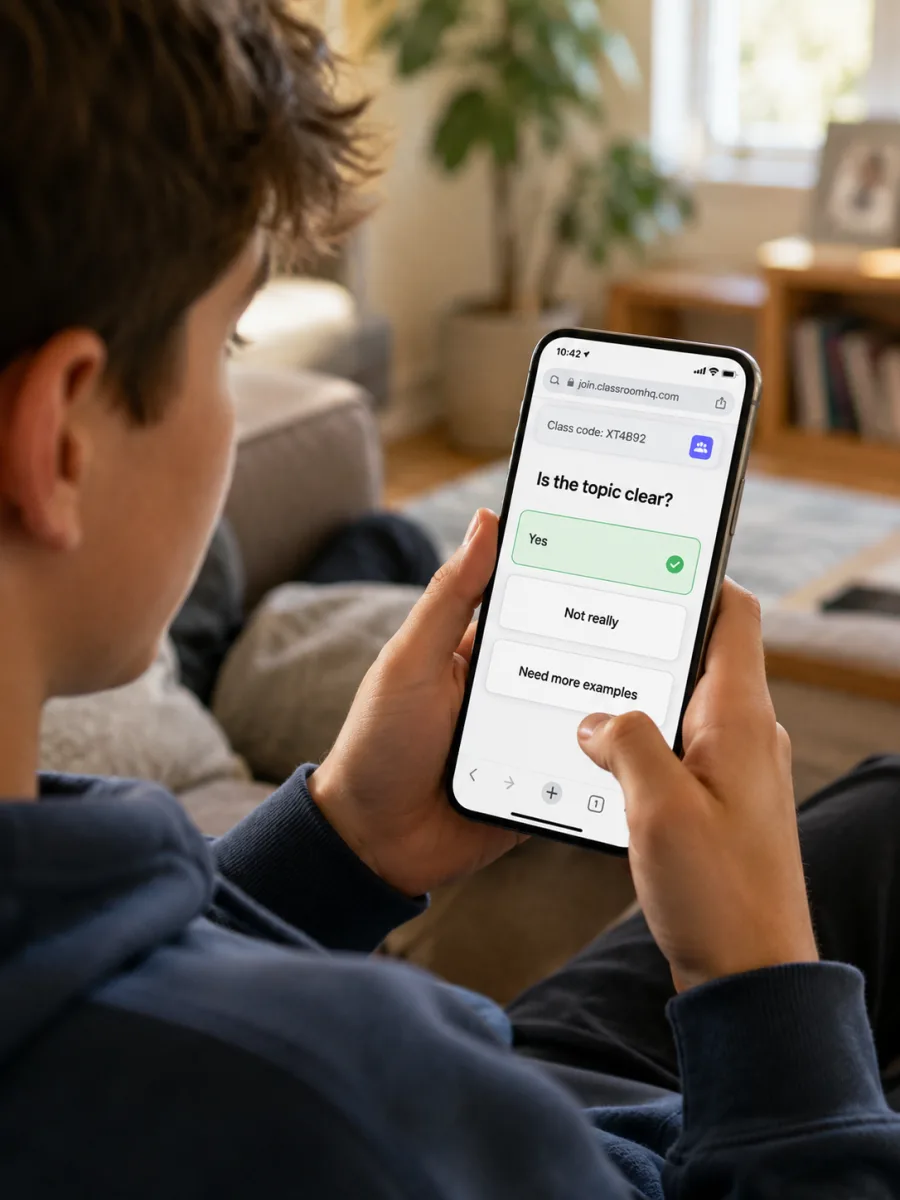
Students do not need to install anything. They can answer polls, quizzes, and feedback questions using a simple link, QR code, or class code. The teacher controls everything from the Chrome extension, while students respond from a phone, tablet, or computer.
- No student installation required
- Works on phone, tablet, or laptop
- Simple link, QR code, or class code
- Fast answers during the lesson
- Responses are saved in the web dashboard
Useful for group classes and 1-on-1 lessons
For group classes
Keep students involved, manage classroom activities, collect answers quickly, and make participation visible.
Best for
Useful widgets
For 1-on-1 tutoring
Make private lessons more structured, interactive, and professional.
Best for
Useful widgets
Not another teaching platform
Teachers should not have to move their lessons to a new platform just to make them interactive. This product works as a simple layer on top of the video tools teachers already use.
Instead of switching tabs
Control activities from the Chrome extension during the lesson.
Instead of using separate tools
Keep timers, polls, quizzes, and feedback in one teaching workflow.
Instead of asking students to install apps
Let students respond through a simple link or QR code.
Instead of losing lesson data
Review responses and participation after class in the dashboard.
Create your free account
Your name and email are all it takes. You’ll go straight to your dashboard, and we’ll email you a link to set a password for next time.
Questions
How do I get an account?
Enter your name and email in the form on this page and you go straight to your dashboard — no waiting list. We also email you a link to set a password for next time.
Do students need to install anything?
No. The teacher uses the Chrome extension. Students can respond through a simple link, QR code, or class code.
Does it work with Google Meet?
Yes. Google Meet, and any other video lesson that runs in a browser tab.
Does it work with Zoom?
The product is designed for browser-based video lessons, including Zoom Web. Native Zoom app support may require a separate virtual camera mode in the future.
Is it only for group classes?
No. It can be useful for both group classes and 1-on-1 lessons.
Is this like OBS?
No. OBS is powerful but complex. This product is designed to be simple enough for everyday online teaching.
Can I prepare activities before class?
Yes. Build polls, quizzes, timers and prompts in the dashboard and arrange them into a lesson plan, so during class you only have to press start.
Can I see results after class?
Yes. The dashboard shows student responses, quiz results, participation, and the history of every lesson you have run.
Help us make My Lesson Board even better
We’re improving My Lesson Board with input from teachers. Try it in your lessons and share your thoughts on what works and what could be improved.
Try It in Your Next Lesson